Hey how do I upload images?

Topic by Akhilleus

Akhilleus

Home Forums MGTOW Questions and Answers Hey how do I upload images?

This topic contains 18 replies, has 4 voices, and was last updated by Keymaster  Keymaster 3 years ago.

Viewing 19 posts - 1 through 19 (of 19 total)
  • Author
    Posts
  • #382953
    +1
    Akhilleus
    Akhilleus
    Participant
    2486

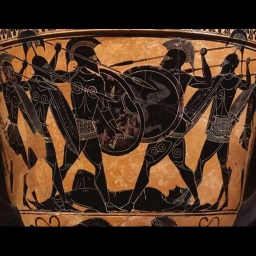
    Hey guys how do i upload images into my posts ? I uploaded on my profile level…. assistance please I might be mildly retarded.

    /content/uploads/19425/i/20170102_034941_9a734e/5869cdd594b1a.jpg

    Aloha means family you don't leave family behind. Who will be the next Draconarius for MGTOW? MGTOW = brothers = acceptance = belonging

    #382960
    +1
    PistolPete
    PistolPete
    Participant
    27143

    You’re not retarded…I have a problem with this too—especially if it is pictures from my computers file pics. When uploading it asks for a web page location which of course file pics on my computer do not have? So we’re in the same boat.

    I also don’t know how guys select specific portions of movies et al to post. I can do so if the clip is already on line as a clip but I can’t select my own clip from a movie.

    #382962
    +1
    Akhilleus
    Akhilleus
    Participant
    2486

    =/ it was a funny picture on marriage too…. wanted to share with the boys.

    Aloha means family you don't leave family behind. Who will be the next Draconarius for MGTOW? MGTOW = brothers = acceptance = belonging

    #382966
    +2
    Keymaster
    Keymaster
    Keymaster

    Good!! You did the upload just fine! And you got the image location.

    Now you want to put it in your post.

    So…..

    1. press the “img” button when composing your post
    2. Paste the full url of the image into the window
    3. Click OK And it will create the image code for you.

    The code will look like this….

    <img src="/content/uploads/19425/i/20170102_034941_9a734e/5869cdd594b1a.jpg" alt="" />

    … which looks like this…..

    If you keep doing what you've always done... you're gonna keep getting what you always got.
    #382968
    +1
    Blade
    blade
    Participant

    I have a problem whith uploading s~~~ to of the net and i use my phone on here . Can someone upload and do a thread on this please because it is hilarious and f~~~ed up .

    It is by “BEARING” on YouTube. It is called “ANDY PANDY THE VAGINAL VAMPIRE “. Some stupid silly things i have forgotton that i could do due to a health problem . I try not to stress myself by pushing to relearn to quick . Hard to explain . But thanks if anyone does that for me because i know it will crack you all up and will be a good thread . Thanks

    THE PLANTATION HAS NOW TURNED INTO THE KILLING FIELDS . WOMAN ARE NOW ROLLING CAMBODIAN STYLE .

    #382969
    +1
    Blade
    blade
    Participant

    Thanks km it just came up after i posted what you put .

    THE PLANTATION HAS NOW TURNED INTO THE KILLING FIELDS . WOMAN ARE NOW ROLLING CAMBODIAN STYLE .

    #382972
    PistolPete
    PistolPete
    Participant
    27143

    What about images that do not have a URL?

    #382975
    +1
    Keymaster
    Keymaster
    Keymaster

    There is quite a bit to explain with regards to why are doing uploads this way (and why we don’t freely allow image attachments for anyone) but we need to be able to know WHO uploaded in case the content is questionable. There is also no self-managing/deleting yet either.

    We would also like to be able to add the feature based on forums rep AUTOMATICALLY instead of “member level”. THere’s a whole MESSS of things to manage when it comes to user uploads, but the demand is not QUITE high enough for that yet. So for the moment, using another remote storage site to reference an image is preferred. Local image uploads have not caused any problems for us yet so we plan to add video support too.

    If you keep doing what you've always done... you're gonna keep getting what you always got.
    #382977
    +1
    PistolPete
    PistolPete
    Participant
    27143

    Thank you KM

    #382979
    Keymaster
    Keymaster
    Keymaster

    What about images that do not have a URL?

    Uploading, say, something from your phone WILL be possible and has already been done but we want to have a self-manager on your profile for that. This way you can upload and delete and rearrange pics and we will provide various sizes from the upload.

    It’s been a little “iffy” because we also can’t permit photos that are too personal or that may reveal a license plate etc. It’s actually a pretty big realm to deal with and we have already created a better solution coming down the pike.

    If you keep doing what you've always done... you're gonna keep getting what you always got.
    #382981
    Keymaster
    Keymaster
    Keymaster

    Thank you KM

    Pleasure. The first thing I will do is just take your request under advisement and add the ability to permit an established user (like you) to just upload some images by turning on a “switch”. I’ll remember you asked for this and see what I can do.

    If you keep doing what you've always done... you're gonna keep getting what you always got.
    #382984
    PistolPete
    PistolPete
    Participant
    27143

    Its just that I have a humorous Cthulhu image a friend sent me on Email which I saved to a folder on the computer and I can’t download it. I have tried to find the site he got it from with no luck. So its no big deal.

    #382985
    Akhilleus
    Akhilleus
    Participant
    2486

    ok great thanks KM! ill try it next time give me a sec

    Aloha means family you don't leave family behind. Who will be the next Draconarius for MGTOW? MGTOW = brothers = acceptance = belonging

    #382986
    Keymaster
    Keymaster
    Keymaster

    I have also moved this into Q&A so @akhilleus if you want to start another thread with your funny pic, you can. Before you do, please try it here in this thread with the img button as explained above ^^^ to test it.

    It should generate the code into your post like this.

    <img src="/content/uploads/19425/i/20170102_034941_9a734e/5869cdd594b1a.jpg" alt="" />

    When you have it down you can upload/add a local photo to a post yourself. We want to make it more automated than it currently is anyway by generating the code for your post as soon as you upload it.

    More on this as time allows.

    If you keep doing what you've always done... you're gonna keep getting what you always got.
    #382989
    Keymaster
    Keymaster
    Keymaster

    Its just that I have a humorous Cthulhu image a friend sent me on Email which I saved to a folder on the computer and I can’t download it. I have tried to find the site he got it from with no luck. So its no big deal.

    @pistolpete DONT EVER HESITATE TO EMAIL US TO REQUEST we reference something locally for you – including a video clip. Especially if it’s really relevant and you want to keep it here.

    Send it to themgtow-at-gmail-dot-com and we will send you a link back ASAP. Eventually we will have a more easy way to just drop it into the forums window too. Just bear with us, this is still not our full time gig.

    If you keep doing what you've always done... you're gonna keep getting what you always got.
    #382990
    +1
    PistolPete
    PistolPete
    Participant
    27143

    Will do KM thanks again

    #382993
    +2
    Akhilleus
    Akhilleus
    Participant
    2486

    pic

    crosses fingers and boom?

    Aloha means family you don't leave family behind. Who will be the next Draconarius for MGTOW? MGTOW = brothers = acceptance = belonging

    #382994
    +1
    Akhilleus
    Akhilleus
    Participant
    2486

    Yay Thank you.

    Aloha means family you don't leave family behind. Who will be the next Draconarius for MGTOW? MGTOW = brothers = acceptance = belonging

    #382995
    Keymaster
    Keymaster
    Keymaster

    crosses fingers and boom?

    Perfection.

    If you keep doing what you've always done... you're gonna keep getting what you always got.
Viewing 19 posts - 1 through 19 (of 19 total)

You must be logged in to reply to this topic.